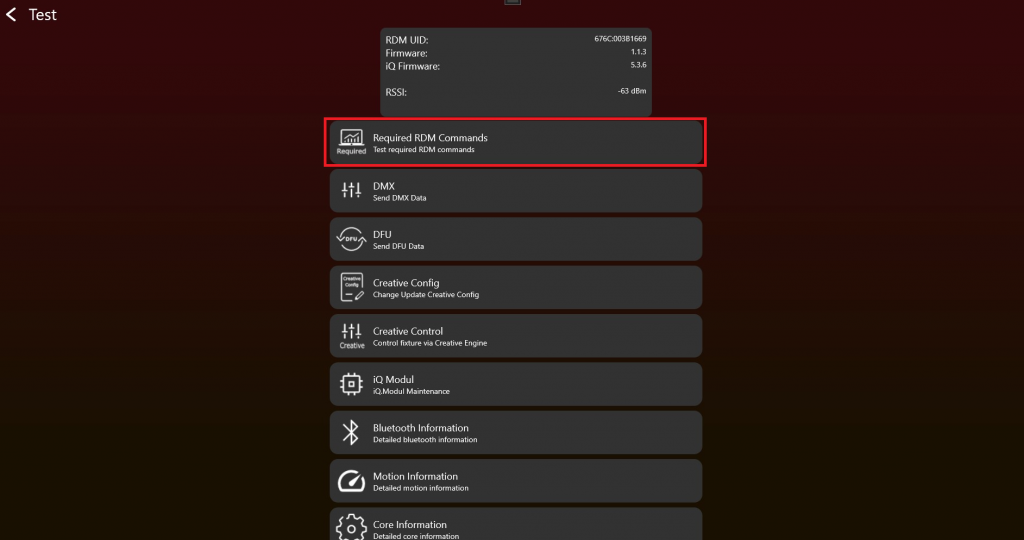
- After enabling the Test Mode and connecting to the fixture it should look like this. To test RDM Commands click on „Required RDM Commands“:
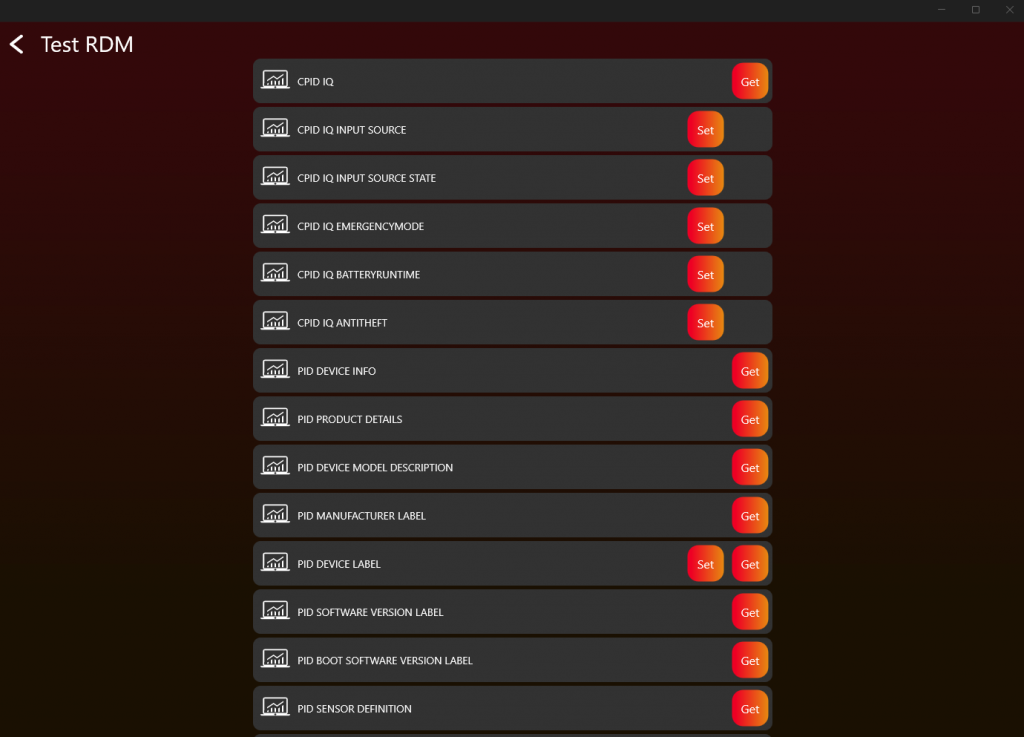
2. Simply click on a Get / Set button and RDM commands will be send to your fixture. A result will be shown. Check for each RDM command the result.
3. If you get a correct response it should look like this:
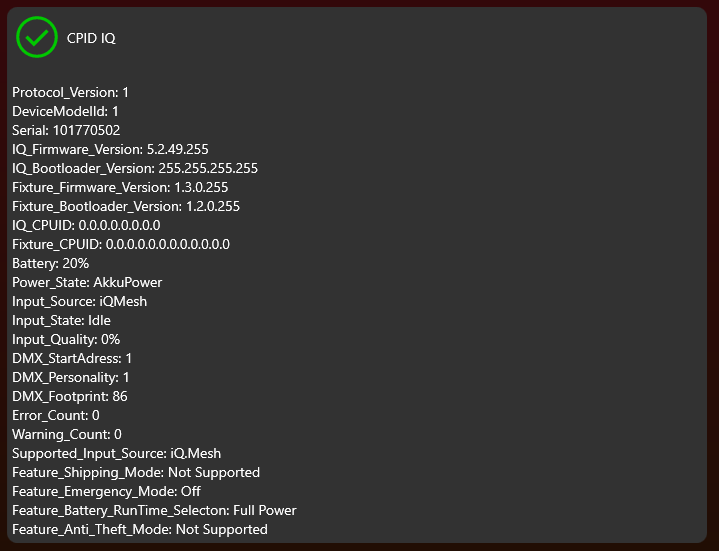
4. Repeat this step for each RDM command