Here you can test DMX. The DMX Channels will be mapped to your chosen Output Interface. If you chose WS2812 the DMX channels will resemble your pixel channels.
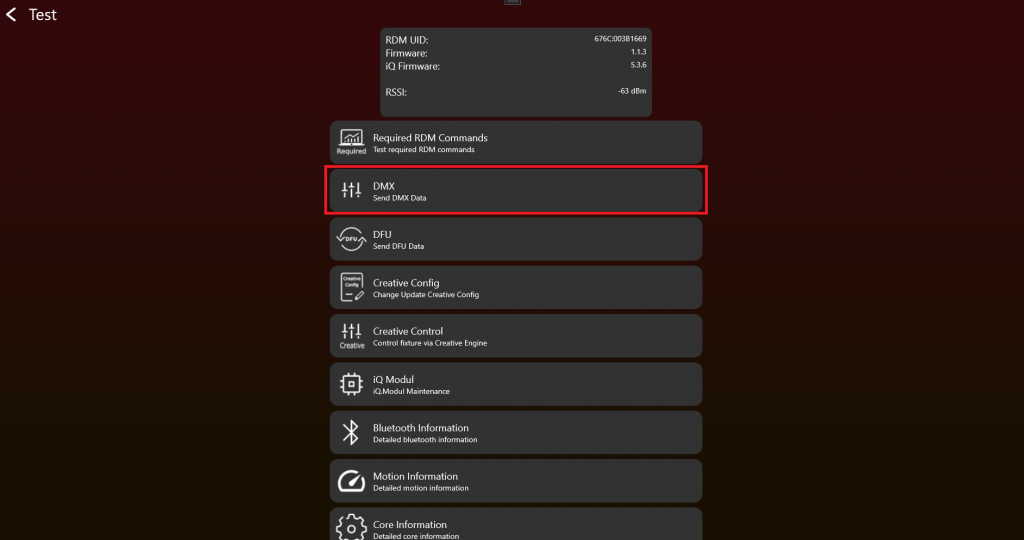
- After enabling the Test Mode and connecting to the fixture it should look like this. To test DMX click on „DMX“:
2. Choose the “iQ DMX Mode” and set “DMX Values” via the sliders. Test also with different “DMX StartAdresses” and “DMX Personalities“ (sometimes also called “DMX Modes“) to make sure everything works as expected. The „Change Personality“ function will change the Vision.DMXPersonality in the Vision DMX Stream.
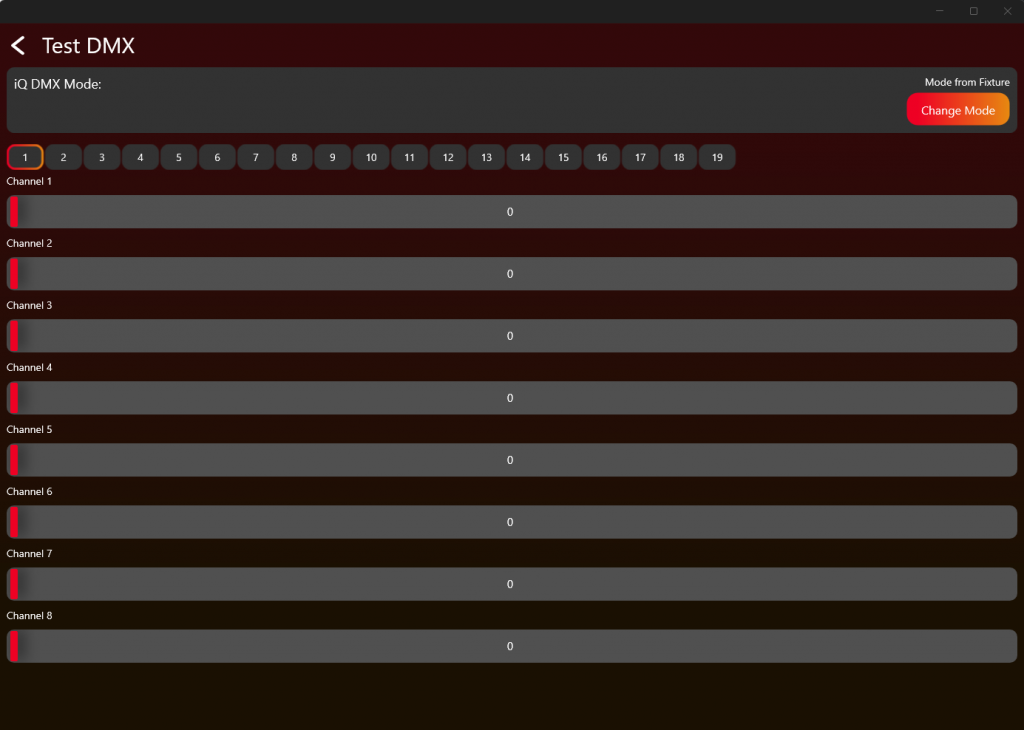
Test the DMX Personality 0, 1-x and 255 as described in the Table and the DMX Chapter.
| iQ.DmxPersonality | Dmx Personality |
|---|---|
| 0 | fixture settings |
| 1 | 1 |
| 2 | 2 |
| .. | .. |
| 255 | Vision Dmx Profile, Fixture settings optimized for Vision, Read DMX from the beginning of the stream independent from DMX Startaddress |